
Enquiry emails, answered with a real date from your diary.
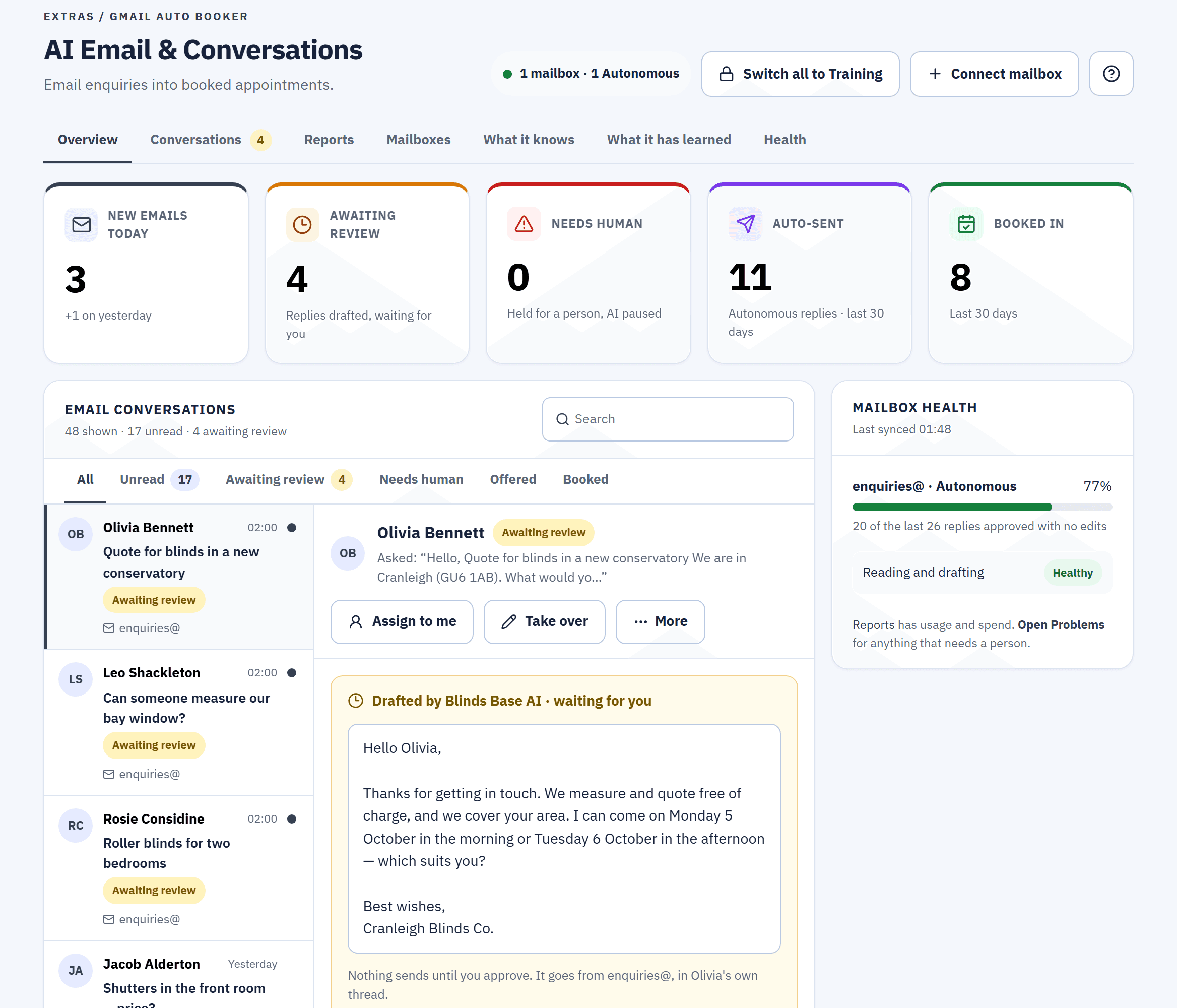
Connect your Gmail mailbox and Blinds Base AI reads each new email, sorts it, and drafts a reply that offers exact dates, a morning or an afternoon, when a fitter is really free. Every mailbox starts in Training mode, so a person approves every reply before it goes.
£99 every 28 days + AI usage, on Minimum or Business. Included in Business + AI. Locked during the free trial.
Screen from the live demo, a fictional business: a reply Blinds Base AI drafted, waiting for the office to approve it.
What it does, in plain terms
Reads every new email
A connected mailbox is checked about every 15 minutes. Each email is sorted: a new lead, a customer, a supplier, spam, urgent or other.
Offers exact dates
A reply that offers a measure names real dates, each a morning or an afternoon, when a fitter who covers that postcode is free.
You approve each reply first
Training mode is where every mailbox starts: nothing is sent until someone at your business approves it.
A person takes over
A complaint, a refund or a customer asking for a person goes to "Needs human", and your office is told in Team Hub.
From an enquiry email to a booked measure.
Four steps, each one checked against your own diary and your own settings.
An example to show the steps. Not a real customer.
- A customer emails your business at the Gmail address you connected, while you're out measuring.
- Blinds Base AI reads and sorts it on the next check, and drafts a reply in your business's name, in the customer's own email thread.
- The reply offers exact dates a morning on one, an afternoon on another, and asks for anything still missing: a phone number, the address or how many windows.
- The customer picks one, and it's booked. On an Autonomous mailbox, inside your hours, a clear yes to one offered time books the measure and sends your normal confirmation.
If no fitter is free, the reply says so and names no date. If a booking can't be made, nothing is lost: it's logged on your Problems page and the customer still gets a drafted reply.
Connected with an App Password, not your Gmail password.
Blinds Base never asks for the password you use to open Gmail. It reads and sends through a Google App Password you create for it.
1. Make an App Password
Turn on 2-Step Verification for the Google account, then create an App Password: a separate 16-character code.
2. Connect the mailbox
Enter the Gmail address and the code. It's checked with Gmail before anything is saved, and kept encrypted.
3. Set its hours
Choose the hours it may send in. Disconnect at any time: it stops at once and the stored App Password is removed.
Training mode until you trust it.
Choose, mailbox by mailbox, how much it does on its own. You can change the mode at any time.
Training mode
DefaultBlinds Base AI drafts each reply. A person reads it, edits it if they want, and presses Approve & send, or rejects it.
Autonomous, within your hours
Replies send on their own only between the hours you set for that mailbox. Booking a measure and the one chase-up run only in those hours too. Outside them, drafts wait.
Back to Training in one press
The CEO can put every mailbox back in Training mode at once. Each mailbox's accuracy figure, its recent replies approved with no edits, helps you judge when to switch.
Some replies are always held for a person.
Even on an Autonomous mailbox, some drafts are never sent on their own. They are held for review, with the reason shown, until a person reads the email and decides.
- The customer asked for a person, or raised a complaint, a refund or a legal matter.
- Blinds Base AI marked the email urgent: a complaint, a safety issue or a same-day problem.
- A price your book didn't give. Any pound figure that didn't come from your own price book.
- Anything that looks wrong: a link to another website, a discount you never offered, garbled text, or a date it isn't holding.
Exact dates, held for that customer.
A reply that offers a measure names up to three different dates, a morning or an afternoon on each, worked out from your real diary: which fitters measure, which cover the customer's postcode, their working days and their existing appointments.
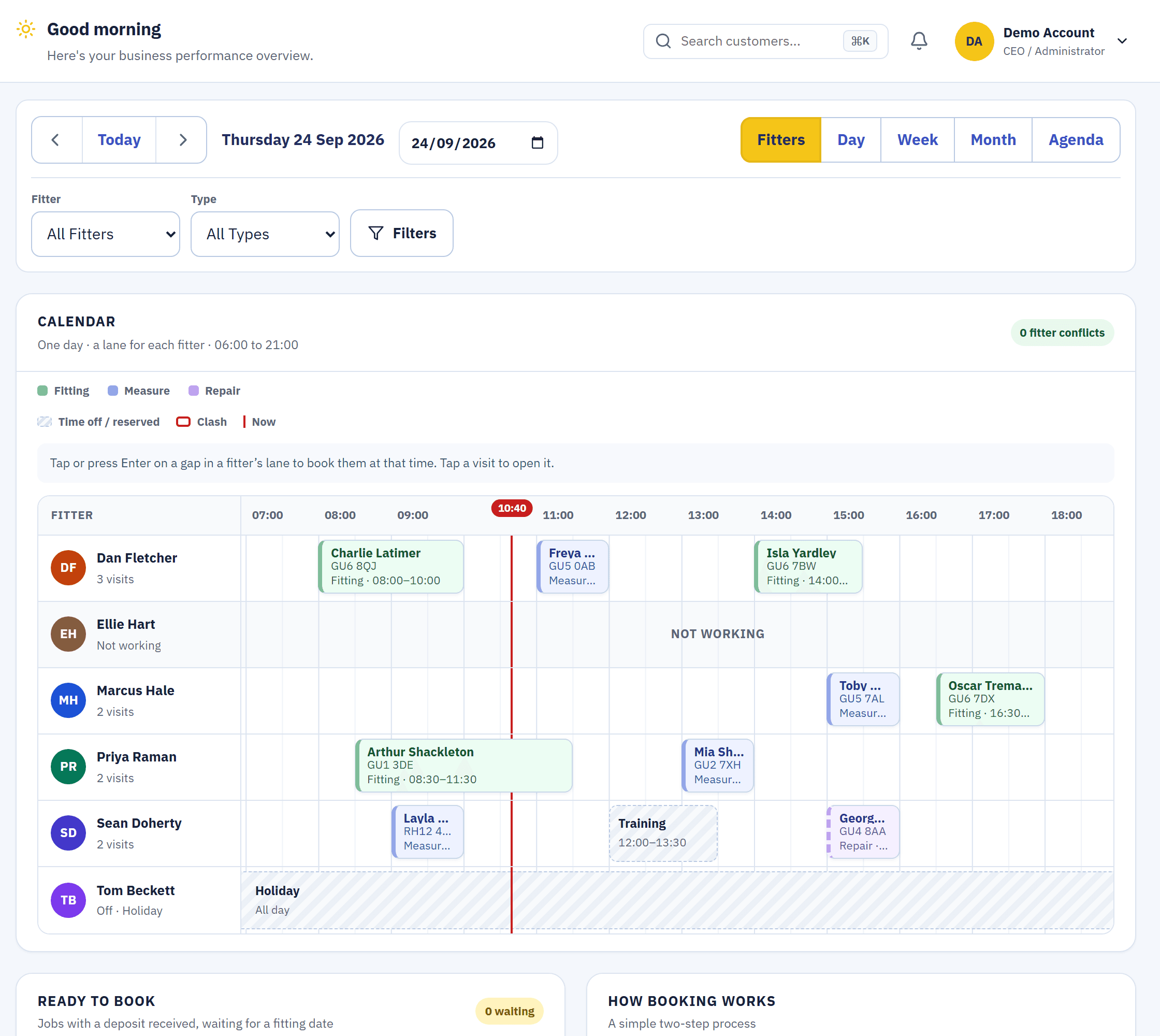
- Held while the customer decides. Every time offered is held for that customer, for an hour by default, so no one else is offered it.
- Shared with the Facebook AI Booker. Both bookers hold times in the same place, so neither offers a time the other is holding.
- Never an invented time. If the diary can't be read, the reply offers no time at all.
A guide price from your book. Never an exact price.
It uses the same price check as the Facebook AI Booker: a guide range from your own price book, "confirmed on the visit". A reply with any other pound figure is held for a person.
- A blind type you haven't priced? It gives no figure at all.
- Your notes can't change that. Notes you write guide its tone and tell it facts about your business. They never override its rules on prices.
When it should be a person, it's a person.
The email moves to "Needs human" and your office gets a card in Team Hub. While it's handed over, Blinds Base AI drafts and sends nothing on that thread until someone presses Return to AI.
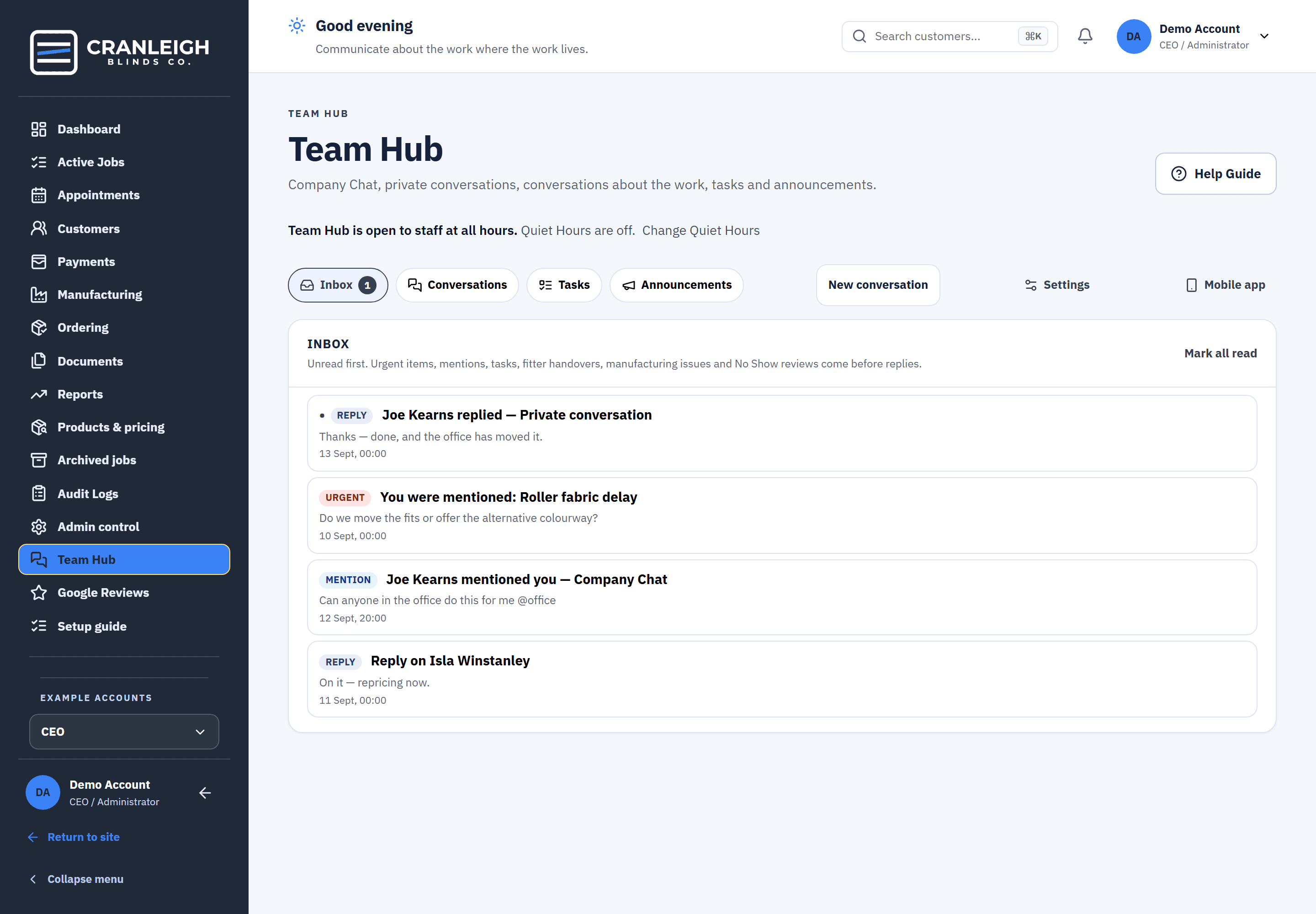
From the live demo, a fictional business.
Press Take over on any email to handle it yourself. Blinds Base AI stops on that thread until you hand it back.
See what it did, and the AI credit it used.
The Reports tab's Usage & spend shows each mailbox and your whole business. It is there to show you, and never blocks a reply.
What it handled
Emails processed, replies sent, replies sent on their own, and measures it booked in.
AI credit by day
The AI credit it used each day, in credits, never as a cost.
Accuracy
How many of each mailbox's recent replies were approved with no edits.
What it costs
every 28 days, plus AI usage, added to Minimum or Business. It switches on at once and is billed by the day.
then £449 every 28 days
Business + AI: all three Extras, 250 AI credits every 28 days and 50 accounts. Only when you join.
AI usage on top
Replies use AI credit. A top-up is 1,000 credits for £100. If credit runs out, Blinds Base AI pauses and flags messages for your team, and Blinds Base keeps working.
Locked during the 14-day free trial. It switches on when your paid plan starts. On Business + AI you can end the trial early to start sooner.
See full pricingQuestions about the Gmail Auto Booker
Does it need my Gmail password?
No. It connects with a Google App Password, a separate 16-character code you create for it. It isn't your normal password, and you can revoke it in your Google account at any time.
Will it send anything without us seeing it?
Not unless you choose that. Every mailbox starts in Training mode, where a person approves every reply. In Autonomous mode it sends only inside the hours you set, and some replies are always held for a person.
How quickly does it reply?
A connected mailbox is checked about every 15 minutes. In Training mode, the reply goes when a person approves it.
Can it quote an exact price?
No. It gives a guide range from your own price book, confirmed on the visit. A reply with any other pound figure is held for a person.
What does it cost?
£99 every 28 days plus AI usage, added to Minimum or Business. It is included in Business + AI.
Can I try it before paying?
You can see it in the live demo, where the emails are examples and nothing is sent. During your free trial it's shown but locked; it switches on when your paid plan starts.
Related
See the Gmail Auto Booker in the live demo.
The demo's emails are examples, and nothing is sent. Start your 14-day trial when you're ready.