
Let customers book their own measure, from your website.
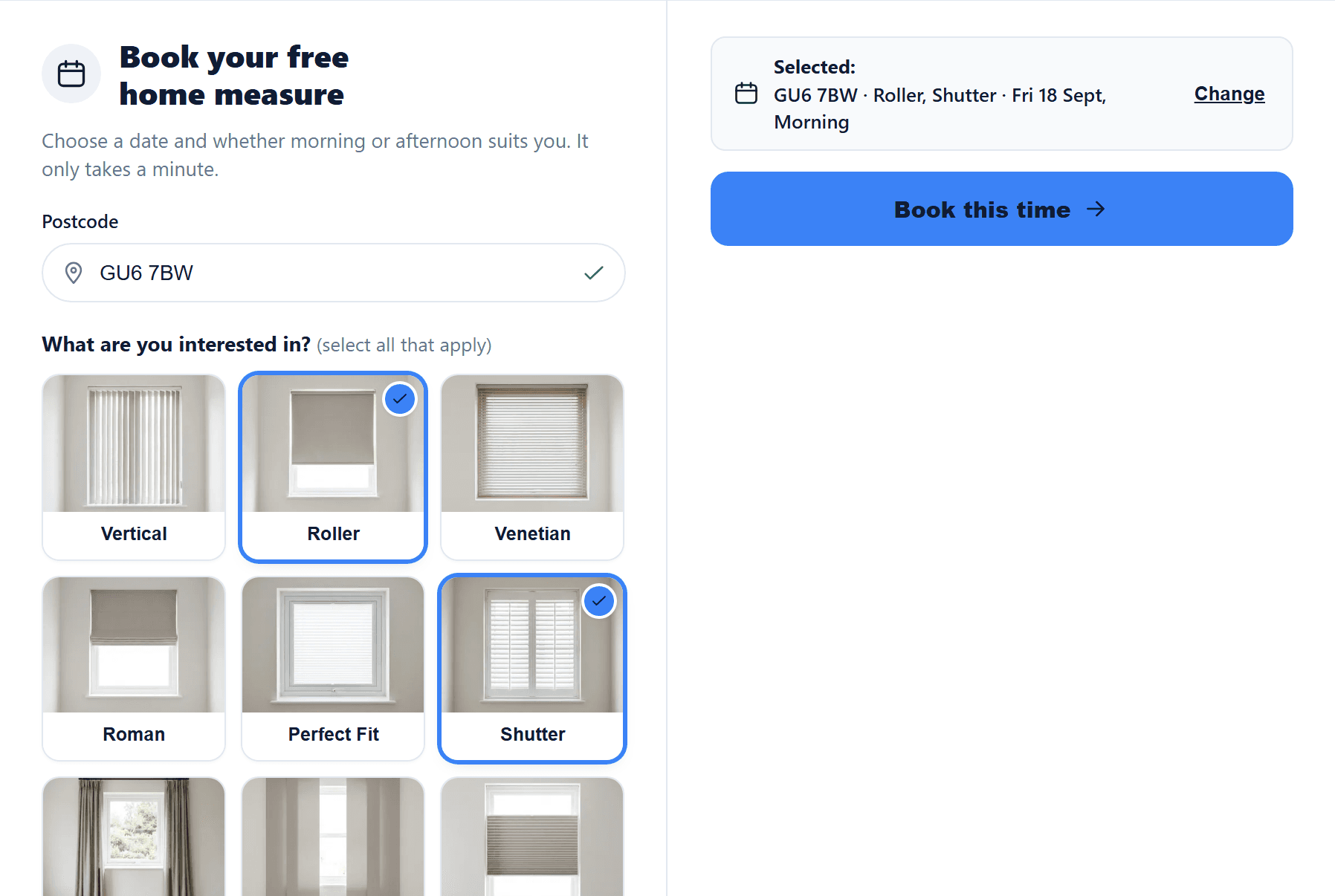
The Calendar Auto Booker turns a button on your website into a booking form. A visitor enters their postcode and the blinds they want, then picks a real morning or afternoon when a fitter who covers that area is free. It uses no AI.
£99 every 28 days on Minimum or Business, flat, with no AI usage. Included in Business + AI. Locked during the free trial.
The real Calendar Auto Booker, photographed on the Blinds Base website.
A free home measure, booked in four steps.
The visitor never signs in, and never sees a time that isn't really free.
- A customer taps your button for example Book a free home measure, on your website.
- They enter their postcode and pick the blinds they're interested in.
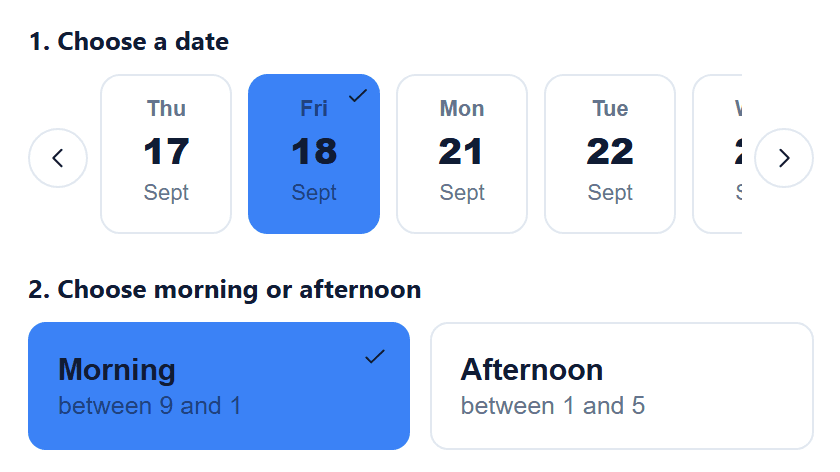
- They choose a date, then morning or afternoon, within your business hours.
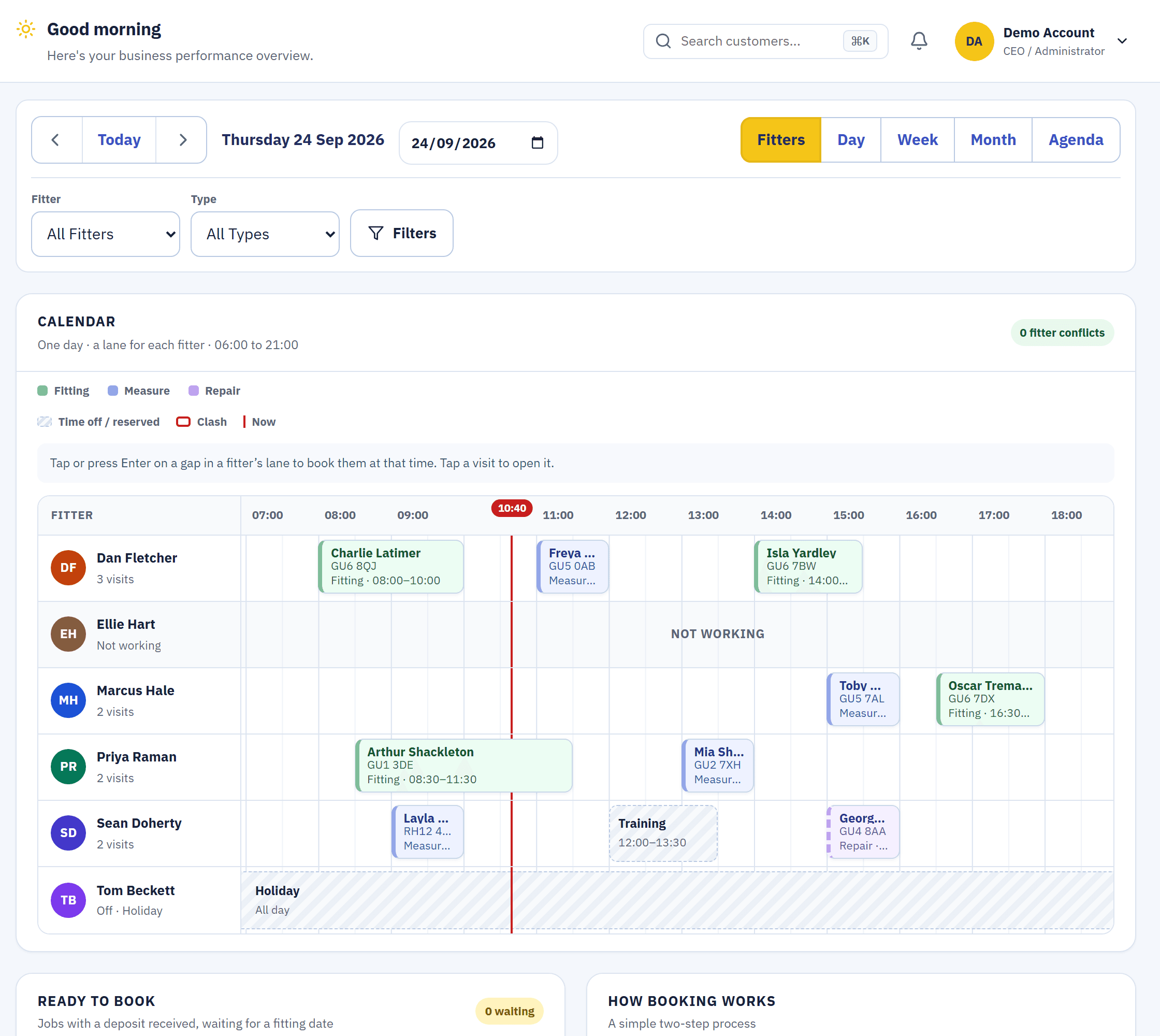
- It lands in your calendar with the customer and the job already made.
If no fitter is free for that postcode and blind type in the next two weeks, the widget says so and asks the visitor to call, rather than showing a time that doesn't exist.
Only real times, from your real diary.
Every time it offers is worked out at the moment the visitor searches: which fitters measure, which cover the visitor's postcode and fit the blinds they chose, their working days and their existing appointments.
- If the diary can't be read, it doesn't guess. It refuses to answer rather than show a time that might be wrong.
- The same rules as the Facebook AI Booker. Both use one availability engine, so neither offers a time the other wouldn't.
- Coverage set once. The postcode areas and blind types for each fitter are the ones your calendar already uses.
One line of code, and the button you already have.
We help you add it. It works on any website that lets you add your own code.
1. Install the script
Paste one line into your website, and save your website's real address. The widget only answers on that address.
2. Choose what it replaces
Your site opens in a new tab: click the button or link the widget should take over.
3. Go live
Switch Public booking on when you're ready, and off again at any time without losing your set-up.
Try the real widget here.
This is the Calendar Auto Booker itself, booking into the live demo's fictional diary. It is the one Extra you can try for real before you join.
What it costs
every 28 days, flat, with no AI usage, added to Minimum or Business. It switches on at once and is billed by the day.
then £449 every 28 days
Business + AI: all three Extras, 250 AI credits every 28 days and 50 accounts. Only when you join.
No AI, so no usage
The Calendar Auto Booker offers times from your diary by rules, not by AI, so it never draws AI credit.
Locked during the 14-day free trial. It switches on when your paid plan starts. On Business + AI you can end the trial early to start sooner.
See full pricingWhat happens when a visitor books.
From then on it is an ordinary booking, exactly as if the office had made it.
- A customer and a job are made. A new job every time; the customer is matched to their existing record when their details match.
- The appointment lands in your calendar. With how many windows they mentioned at the top of its notes.
- The customer gets your confirmation. The same branded email an office booking sends, with a fabric guide for the blinds they picked.
- Reports know where it came from. The booking is recorded as made by your website.
Questions about the Calendar Auto Booker
Does it use AI or AI credit?
No. It offers times from your diary by rules, so it never uses AI credit. It is a flat price every 28 days.
Can it offer a time that isn't really free?
No. Every time is worked out from your real diary when the visitor searches. If the diary can't be read, it refuses to answer rather than guess.
What if no fitter is free?
If no fitter covers that postcode and blind type with a free time in the next two weeks, the widget says so and asks the visitor to call.
Which websites does it work on?
Any website that lets you add a line of your own code. You save your website's address, and the widget only answers on that site.
Can I try it before paying?
Yes. Try the real widget on this page or in the live demo. In your own account it is locked during the free trial and switches on when your paid plan starts.
Related
Let customers book while you're out measuring.
Try the booking widget in the live demo with no sign-up, or start your 14-day trial when you're ready.