
The job sheet app for blind fitters. Works with no signal.
Your fitter measures every window, prices it from your supplier's grid, applies your offers, takes both signatures and records the deposit, all on their phone in the customer's home. When they press send, the office has the job and the customer has the quote.Measure, price from your supplier's grid, apply offers, take both signatures and record the deposit, all on the fitter's phone.
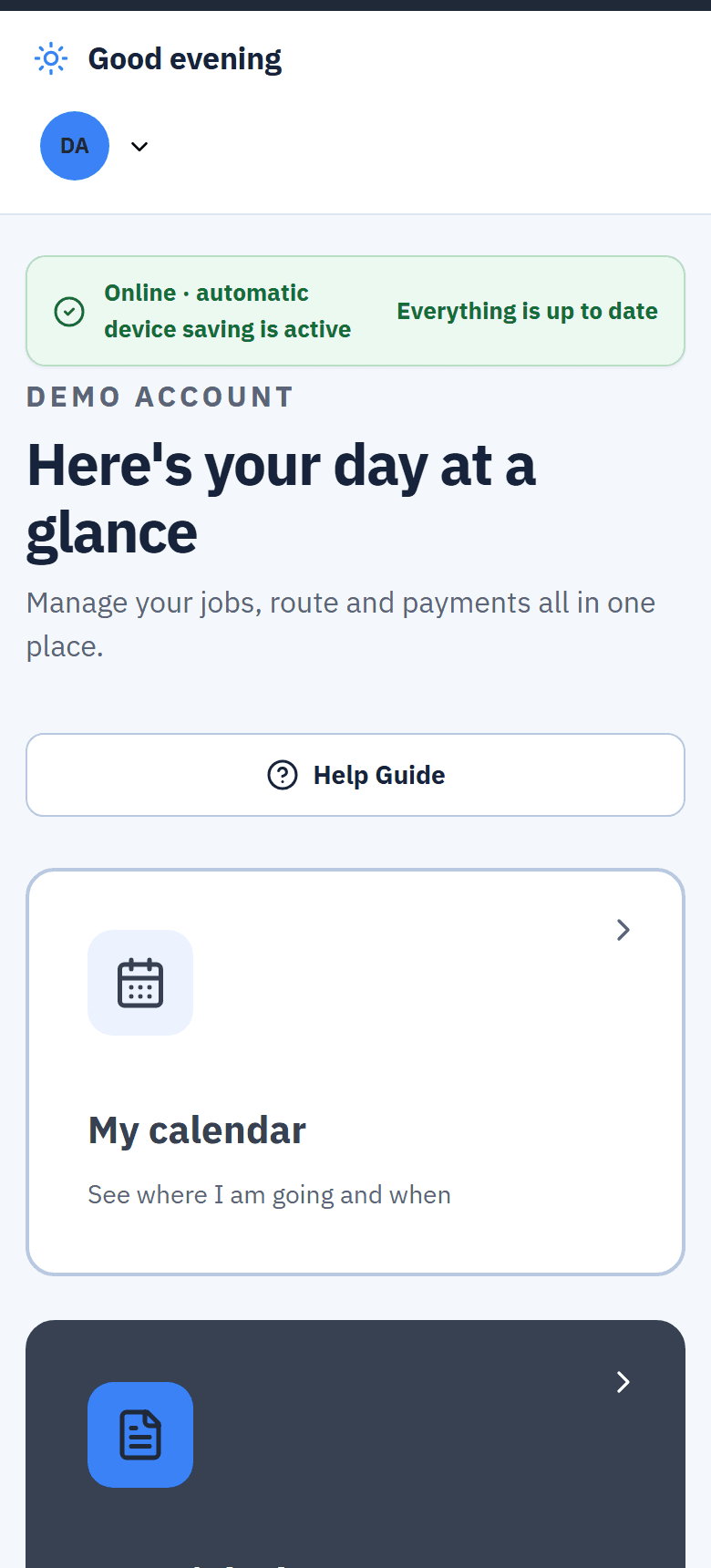
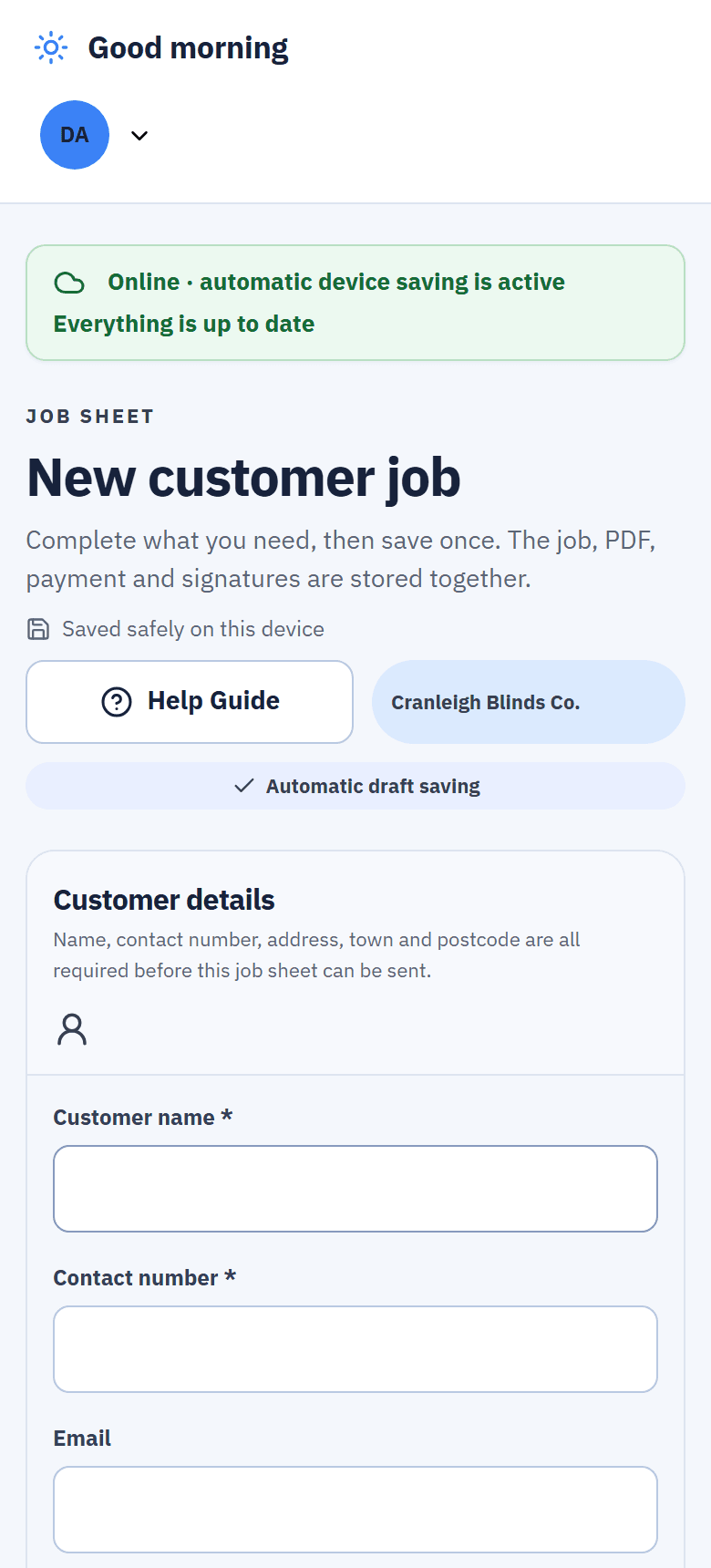
Added to the phone's Home Screen from Safari or Chrome. No app store needed.
Real screens from the live demo, a fictional blinds business.
A basement measure never costs you the sale.
The sheet saves on the phone as the fitter works. With no signal, the finished sheet, the signatures, the photos and any booking they made wait on the phone and send themselves the moment it finds a connection.The sheet saves on the phone. With no signal, it waits there and sends itself when signal returns.
- Saved on the device. Nothing is lost if the phone drops out halfway through a room.Nothing lost if signal drops.
- Sends itself later. The banner tells the fitter when everything is up to date.Sheet, signatures, photos and bookings.
- Honest about the limit. The fitter's work queues offline; the rest of Blinds Base needs a connection.The office screens need a connection.
The price comes from your supplier's grid, not a guess.The price comes from your supplier's grid.
Width, drop, room and fixing for every blind, in eighths if you work in inches. Pick supplier, book, fabric and colour, and the price is read from the supplier's own grid that the office imported.Width, drop, room and fixing per blind, in eighths if you work in inches. Pick the fabric and the grid prices it.
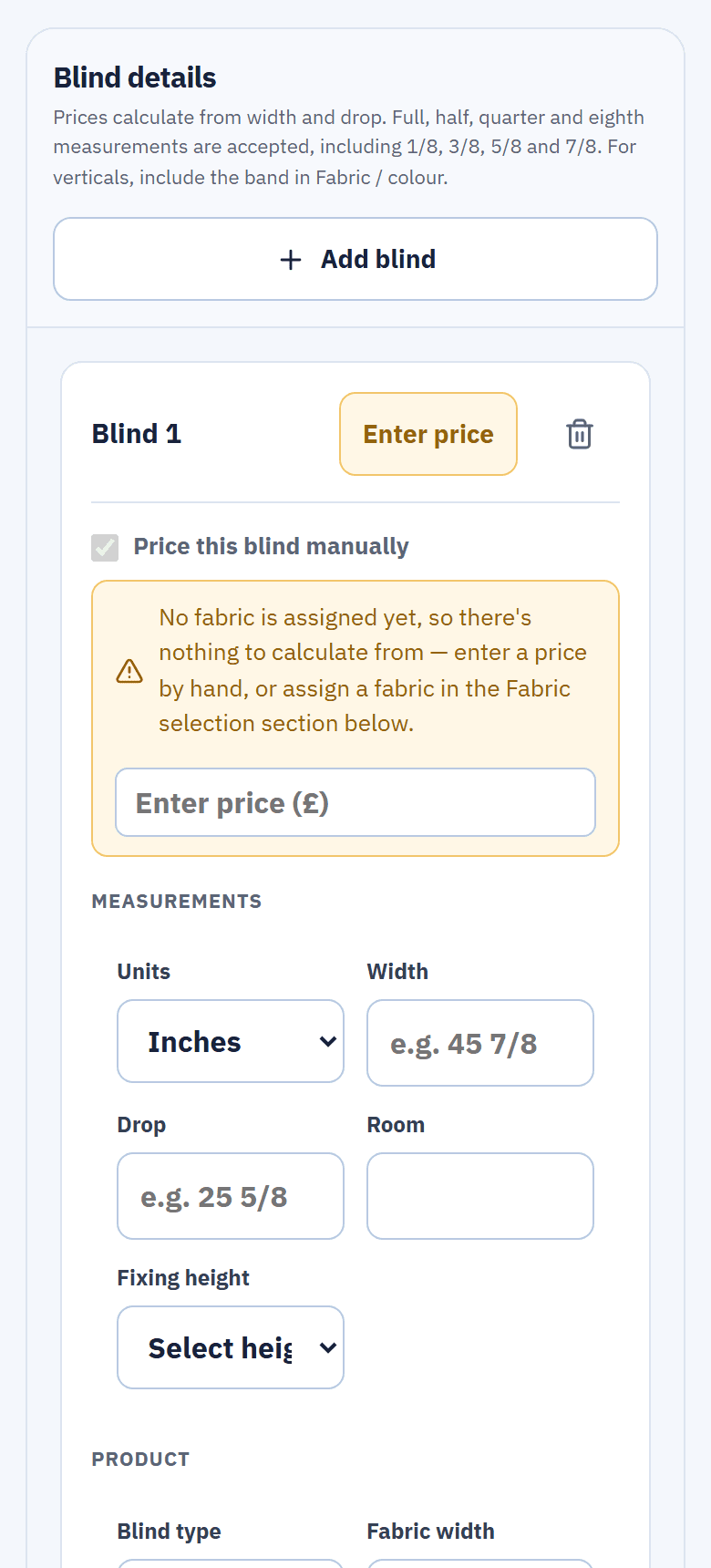
- Locked against hand edits. A manual price is only allowed outside the grid's sizes, or when the fitter ticks it.Manual only outside the grid, or when ticked.
- Not sure of a price? "Ask the office to check this price" opens a price check in Team Hub.Ask the office to check it in Team Hub.
- One fabric, many blinds. Apply a fabric to every blind in the room, and add accessories per blind.
Your offers, applied in the living room.
Set up a package deal, for example six verticals for one price, and choose what qualifies: a whole fabric book or single fabrics and colours, the sizes, and the dates it runs. The sheet tells the fitter when a job qualifies.Package deals qualify by fabric book or colour, size and date. The sheet tells the fitter when a job qualifies.
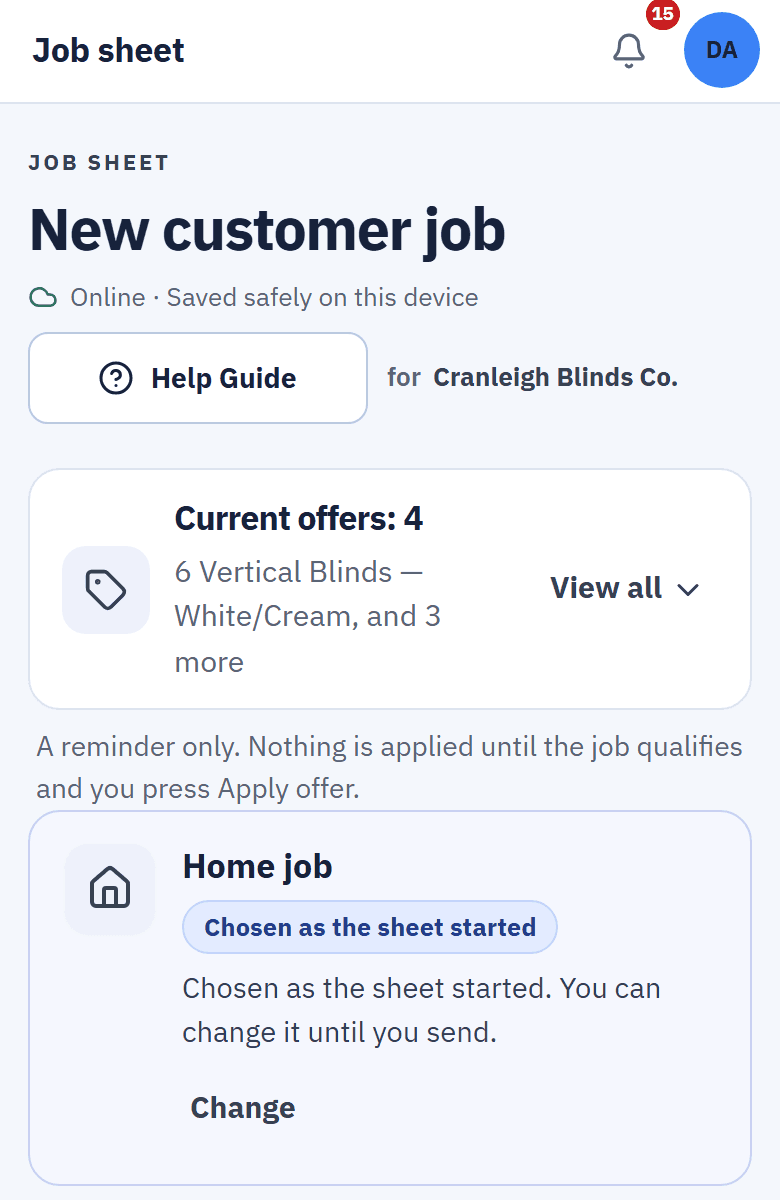
- Never costs the customer more. An offer that would put the price up is never suggested, and it's checked again when the sheet is sent.Checked again when the sheet is sent.
- Money off for paying today. On a fresh quote the fitter is asked once whether to offer 10% off for paying the deposit there and then.10% off, offered once, on a fresh quote.
- See what each offer did. The office sees how many jobs used each offer and what it saved customers.
Signed on the doorstep, deposit written down.
The customer and the fitter both sign on the phone. If a deposit is taken, the fitter records how it was paid, by card, cash, transfer or finance, before they leave.Both sign on the phone, and the fitter records how the deposit was paid: card, cash, transfer or finance.
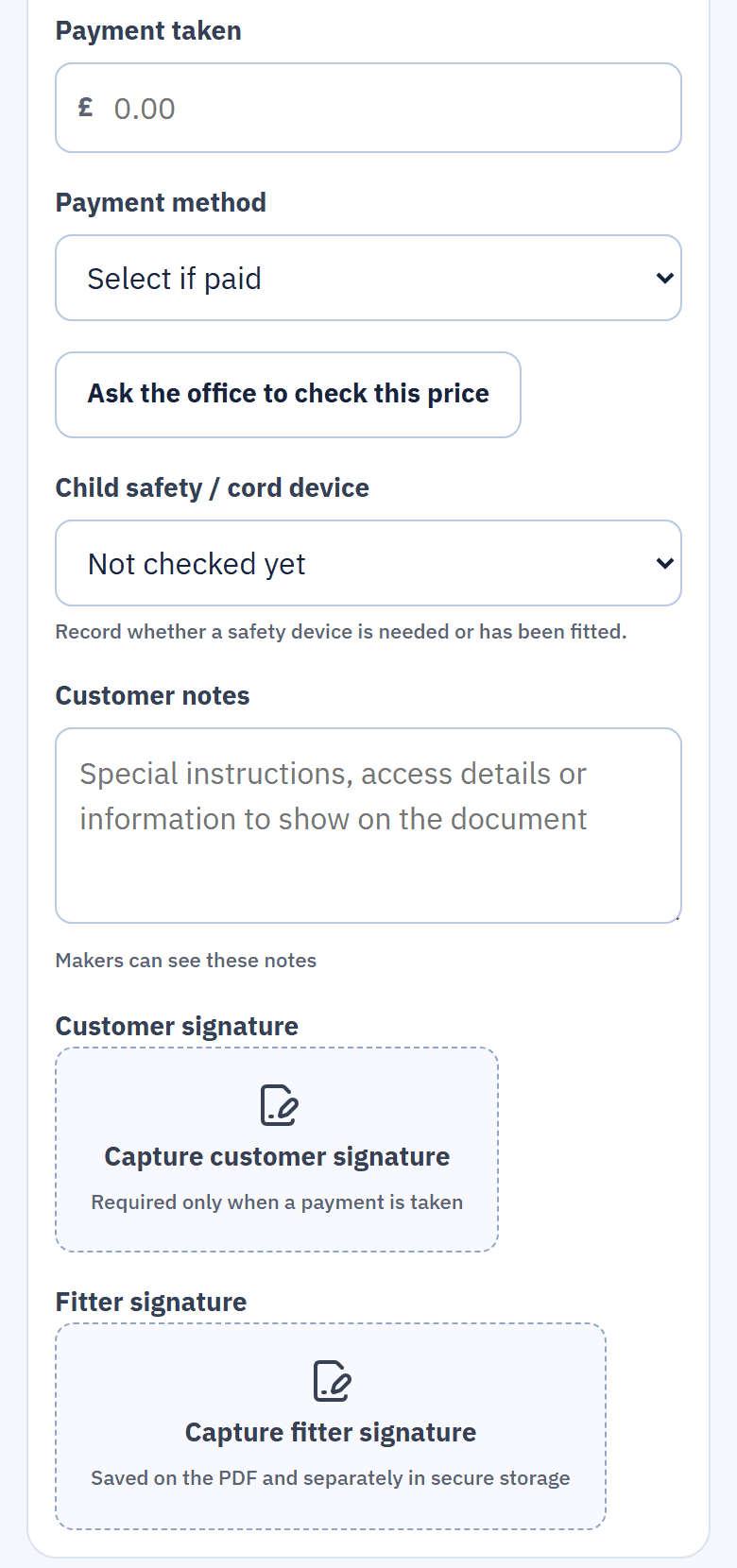
- Both signatures, every time. Once any payment is entered, both signatures are required.
- No over-taking. The amount can't be more than the order total.
- Recorded, not processed. Blinds Base keeps the record. It is not a card machine and sends no payment links.No card machine, no payment links.
Also on the sheet
Photos and notes per blind
Up to 10 photos for each blind. The office and the makers see them.Up to 10 photos for each blind, seen by the office and makers.
Book the fit yourself
If you allow it, fitters book Roller and Vertical fits once the deposit is in.If you allow it: Roller and Vertical fits, once the deposit is in.
Hand over to the office
A note and up to 3 attachments go to Team Hub, held until Quiet Hours end.A note and up to 3 attachments, held until Quiet Hours end.
Your sheet, your wording
The office sets the order of the sections and what they say. Quotes can add VAT at 20% or not.The office sets the sections and wording. Add VAT at 20% or not.
What happens after the fitter presses send.
Nobody re-types the sheet at the office. This is what Blinds Base does with it, in order.
- The quote goes out. A PDF quote in your logo and colours is made from the sheet and emailed to the customer with your terms.Your logo and colours, emailed with your terms.
- No deposit yet? It chases itself. Reminders go 3, 7 and 14 days after the quote. You can change the days.Reminders at 3, 7 and 14 days.
- The blinds go to the makers. Once the deposit is in, each blind becomes an item to make, sent to the right maker by blind type. The maker's copy has no prices.By blind type, with no prices on the maker's copy.
- The fit waits in Ready to Book. The office books it with up to 3 suggested times that keep the fitter in the same postcode area.Up to 3 suggested times in the same area.
- It's all on the customer. Sheet, quote, payments and photos sit on one customer record that the office and fitter both open.One record the office and fitter both open.
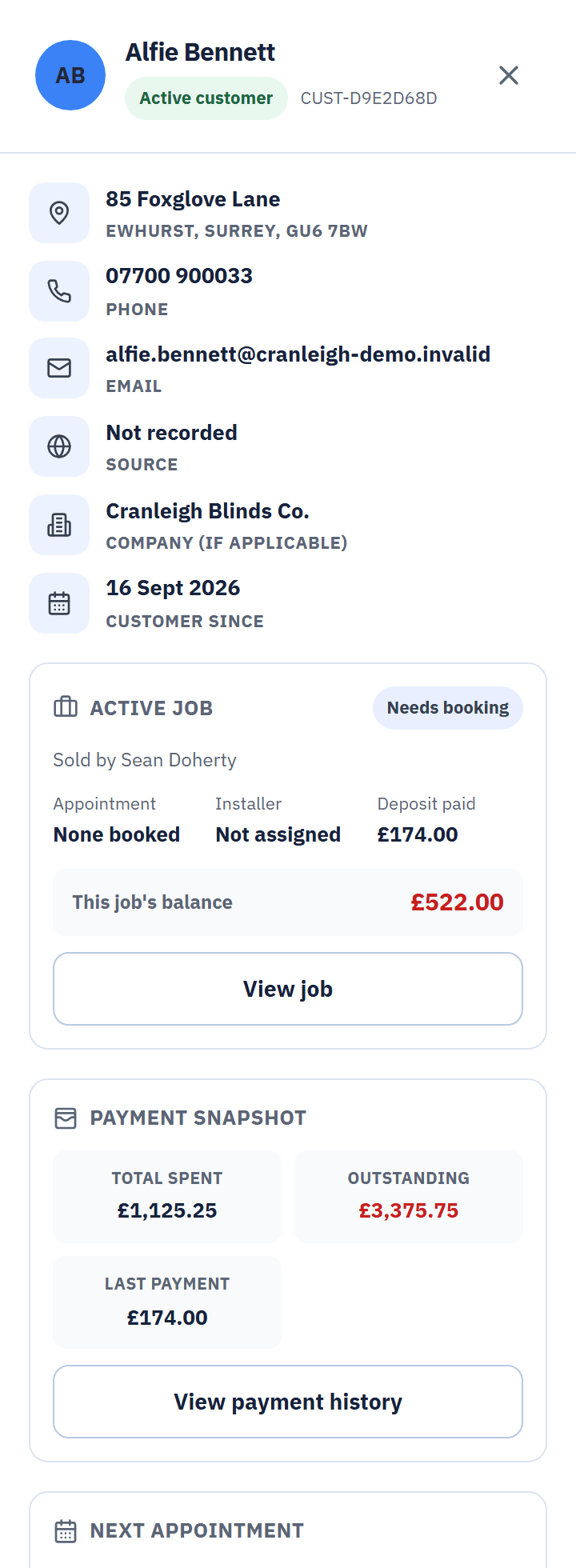
From the live demo, a fictional business.
Questions about the job sheet
Does it really work with no signal?
Yes, for the fitter's work. The sheet, signatures, photos and any booking the fitter makes queue on the phone and send when signal returns. The rest of Blinds Base, like the office screens, needs a connection.
Is it an app from the App Store?
No. The fitter opens Blinds Base in Safari or Chrome and adds it to the Home Screen, where it opens like an app. There is nothing to download from an app store.
Can a fitter change a price on the sheet?
Not when the price comes from your supplier's grid: that price is locked. A manual price is only allowed outside the grid's sizes or when the fitter ticks "Price this blind manually". If they're unsure, they can ask the office to check the price from the sheet.
Does it take card payments?
No. The fitter records the deposit and how it was paid. Blinds Base has no card terminal and sends no payment links.
Can we change what's on the sheet?
Yes. The office can set the order of the sheet's sections and their wording, so it matches how your fitters already work.
Related features
Put the job sheet in your fitter's pocket.
Open the live demo as a fitter with no sign-up, or start your 14-day trial with your own prices.Open the live demo as a fitter, or start your 14-day trial.